


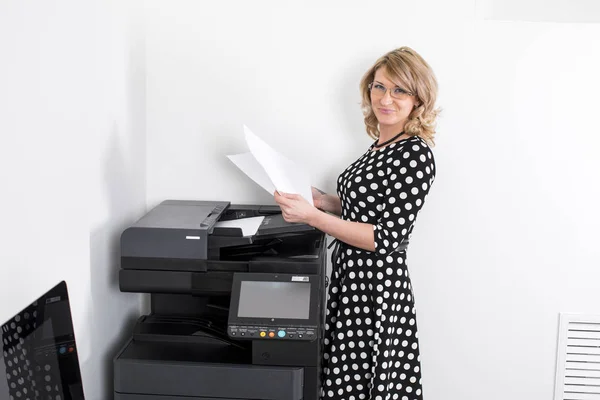
Small businesses rely heavily on efficient document handling to keep daily operations smooth and productive. From printing invoices and contracts to scanning reports and sharing digital files, a reliable copier plays a key role in office performance. Choosing the right device is not just about printing—it directly impacts speed, cost efficiency, workflow, and employee productivity.
Today’s small business copiers are no longer simple machines. They are smart multifunction devices that combine printing, scanning, copying, and cloud connectivity into one system. With so many options available, selecting the right copier can significantly improve office efficiency and reduce long-term costs.
Below is a detailed guide to the top copiers for small businesses and how they can improve productivity.
Why Small Businesses Need the Right Copier
A well-chosen copier helps small businesses:
- Reduce time spent on document processing
- Improve print speed and workflow efficiency
- Lower printing and maintenance costs
- Enable digital document sharing and scanning
- Support multiple users in an office network
Research shows that multifunction copiers are especially valuable for small offices because they combine several devices into one, saving both space and cost while improving workflow efficiency
.
For growing businesses, this efficiency becomes essential as workloads increase.
Key Features That Improve Productivity
Before choosing a copier, small businesses should focus on features that directly improve productivity.
- Print Speed and Performance
Fast printing ensures employees are not waiting for documents. Many business-grade copiers offer speeds of 30–50 pages per minute, which is ideal for small teams handling regular document flow.
- Multifunction Capability
Modern copiers combine printing, scanning, copying, and sometimes faxing. This reduces the need for separate machines and simplifies office workflows.
- Automatic Document Feeder (ADF)
ADF allows multiple pages to be scanned or copied automatically, saving time and reducing manual work.
- Duplex Printing
Double-sided printing reduces paper usage and supports cost-saving office practices.
- Cloud and Network Connectivity
Cloud integration allows employees to print or scan directly to Google Drive, email, or shared folders. This is especially useful for hybrid and remote work setups.
- Security Features
Secure print release, user authentication, and data encryption protect sensitive business documents. Copiers For Small Businesses from Camelott are ideal for startups and SMEs.
Top Copiers for Small Business Productivity
Here are some of the most recommended copier types and models for small business environments based on performance, reliability, and cost efficiency.
- Brother MFC-L9570CDW – Best for Reliable Office Use
The Brother MFC-L9570CDW is widely recognized as one of the most reliable and cost-effective small business copiers.
Why it improves productivity:
- Fast print speeds suitable for busy offices
- Strong durability for continuous use
- Compact design for small office spaces
- Low cost per page printing
This model is often praised for its balance of affordability and professional-grade performance, making it ideal for startups and SMEs handling daily documentation tasks
.
- Canon imageRUNNER ADVANCE DX Series – Best for High Efficiency
Canon’s imageRUNNER series is designed for businesses that need high performance and reliability.
Productivity advantages:
- High-speed printing and scanning
- Advanced cloud integration
- Excellent print quality
- Strong uptime and minimal service interruptions
Canon devices are known for enterprise-level reliability with minimal downtime, helping businesses maintain smooth workflows
.
- Xerox VersaLink C415 – Best for Small Teams
The Xerox VersaLink series is ideal for small offices with 2–10 employees.
Key productivity benefits:
- Quick job processing
- Smart touchscreen interface
- Cloud printing support
- Reliable daily performance
This copier is designed for offices that need consistent output without complexity, making it a strong choice for small teams.
- Kyocera ECOSYS Series – Best for Cost Efficiency
Kyocera copiers are known for their extremely low running costs and durable components.
Why businesses choose it:
- Long-life components reduce maintenance
- Low cost per page printing
- Energy-efficient design
- High monthly duty cycles
This makes it ideal for businesses focused on long-term cost savings.
- HP LaserJet Pro Multifunction Series – Best for Versatility
HP’s LaserJet Pro range is widely used in small business environments.
Productivity features:
- Fast laser printing
- Easy wireless connectivity
- Strong mobile printing support
- Reliable scanning and copying functions
HP copiers are especially useful for hybrid offices where employees print from multiple devices.
How Copiers Improve Office Productivity
Faster Workflow Execution
High-speed copiers reduce waiting time, allowing employees to focus on important tasks instead of printing delays.
Reduced Manual Work
Features like automatic scanning and duplex printing reduce repetitive manual operations.
Better Collaboration
Cloud-enabled copiers allow instant document sharing across teams, improving communication.
Lower Operational Costs
Efficient toner usage and duplex printing reduce long-term expenses.
Fewer Technical Disruptions
Reliable machines reduce downtime caused by breakdowns or maintenance issues.
Common Mistakes Small Businesses Should Avoid
Choosing Based Only on Price
Cheap machines often result in higher long-term costs due to repairs and inefficiency.
Ignoring Print Volume Needs
Selecting a low-capacity copier for a busy office can lead to frequent breakdowns.
Overlooking Maintenance Costs
Toner, servicing, and spare parts should always be considered.
Not Planning for Growth
Businesses should choose a copier that can handle future expansion.
Selecting the top copiers for small businesses to improve office productivity is a strategic decision that directly affects efficiency, cost savings, and workflow quality. Modern multifunction copiers offer far more than just printing—they streamline entire office operations through scanning, cloud integration, and automated workflows.
Whether choosing Brother for affordability, Canon for reliability, Xerox for smart features, Kyocera for cost savings, or HP for versatility, the right copier can transform how a small business operates.
By focusing on speed, functionality, and long-term cost efficiency, small businesses can invest in a copier that supports growth, improves productivity, and keeps daily operations running smoothly.
